
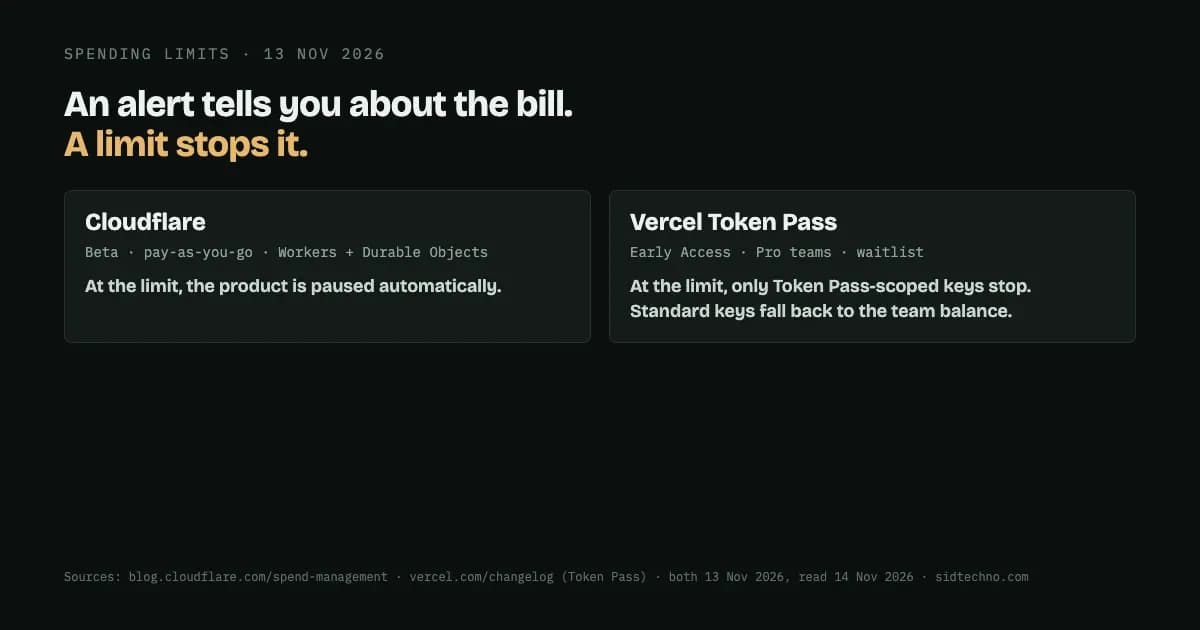
In October we wrote about a person approving an agent's purchase. That works when someone is there to approve. When nobody is watching, what you need is a ceiling: a point where spending stops on its own. On 13 November 2026 Cloudflare and Vercel each shipped one, on the same day, and they work in quite different ways.
Cloudflare put the reason plainly: "Although we've had usage notifications and budget alerts available to paid plans for a while, this doesn't solve the problem completely; informing is not the same as controlling." An alert tells you about a bill. A limit stops it from growing.
Cloudflare: pause the product (Beta, pay-as-you-go, Workers and Durable Objects for now)
The scope first, in Cloudflare's words: "Today, we're introducing Spend Management in Beta, for any pay-as-you-go (PayGo) customer, starting with Workers and Durable Objects." It says "other products will follow soon", but for now that's the list. It's also opt-in: you choose whether Cloudflare pauses activity when a limit is reached.
How it works: "When you enable controls on a product, you can define a spending limit, specify a recipient email for notifications, and set one or more alert thresholds." And at the limit: "When the limit is reached, a blocking policy is enforced and your product is paused automatically."
So this is a hard stop for the products covered: the product is paused, rather than running up a bigger bill. That's the right trade for some workloads and the wrong one for others, which is why it's something you switch on per product.
One line on the page is easy to miss and matters a lot:
"Note that the billing cycle starts when the paid subscription begins, not when you deploy a Worker or create a spending cap; a subscription starting October 10 generally has a cycle of October 10-November 10 — not a calendar month."
If you set a monthly limit thinking it resets on the 1st, it may not.
Vercel: stop only the keys you scope (Token Pass, Early Access, Pro teams)
Vercel's change is to Token Pass, a prepaid add-on for its AI Gateway: "Vercel Token Pass now includes $150 of tokens per month (up from $80) for the same $30 per team per month." The credit applies to a set of featured open-weight models, and resets each billing period with no rollover.
The ceiling only applies to some requests, and the scope is in the same sentence: "When it runs out, requests using standard AI Gateway keys or OIDC tokens fall back to the team's AI Gateway balance, while requests using Token Pass-scoped keys stop with no overage charges."
So it's not a team-wide cap. Requests made with Token Pass-scoped keys stop when the credit runs out. Requests made with standard keys or OIDC tokens fall back to the team's AI Gateway balance. If you want an agent to have a hard ceiling, it needs to use a Token Pass-scoped key. And availability is limited: "Token Pass is an Early Access add-on for Pro teams, with limited spots and a waitlist when they fill."
Two different designs
Cloudflare's limit sits on the product: reach it and the product pauses. Vercel's sits on the key: reach it and only requests using that kind of key stop. Neither is a general spending cap across everything you run, and both are early (one in Beta, one in Early Access with a waitlist).
What to do if agents can spend your money
- Know which of your costs have a ceiling and which only have an alert. An alert at 2 a.m. doesn't stop anything.
- Put the cap where the agent's requests actually go. On Vercel that means giving the agent a Token Pass-scoped key, not a standard one. On Cloudflare it means enabling the limit on the specific product.
- Decide what "stop" should mean. Pausing a service protects your bill but takes the service down. Choose that per workload, before it happens.
- Check your billing cycle dates. A monthly limit follows your billing cycle, which may not be the calendar month.
- Test it. Set a low limit on something non-critical and confirm it stops where you expect.
Sources: Cloudflare, "Introducing Spend Management: Spending limits and alerts for Cloudflare" (13 November 2026; read 14 November 2026); Vercel changelog, "Token Pass now includes $150 in tokens for $30/month" (13 November 2026; read 14 November 2026).