
Last week we wrote about where you approve an AI agent's actions. This one is about what an approval leaves behind. In Claude Code, choosing "Yes, and don't ask again" on a permission prompt doesn't just answer the question. It writes a rule to a file in your project, and that rule contains the command you approved, or the start of it, as text.
This is in the news because, according to press reports, a security firm, Apiiro, found such files in public GitHub repositories with secrets inside the approved commands. We couldn't read Apiiro's report itself (it was blocked to us), so we're not repeating its numbers here. What we can do is explain the mechanism from Claude Code's own documentation, and show you how to check your own repositories.
What "don't ask again" writes
Claude Code's settings documentation is direct about it: "When Claude asks permission to run a Bash command and you choose "Yes, and don't ask again", Claude Code saves that permission approval here as an allow rule." "Here" is .claude/settings.local.json, which the permissions documentation places at the root of the git repository.
The rule names the tool and the command, in the form Bash(...). According to the permissions documentation, "A rule with no * matches one exact command", and for some approvals the dialog saves a command prefix with a wildcard instead. So if the part of the command that was saved contained a password, a token or an API key, for example a curl call with credentials on the command line, that value can now sit in a file on disk as part of the rule.
Claude Code keeps it out of git, with exceptions
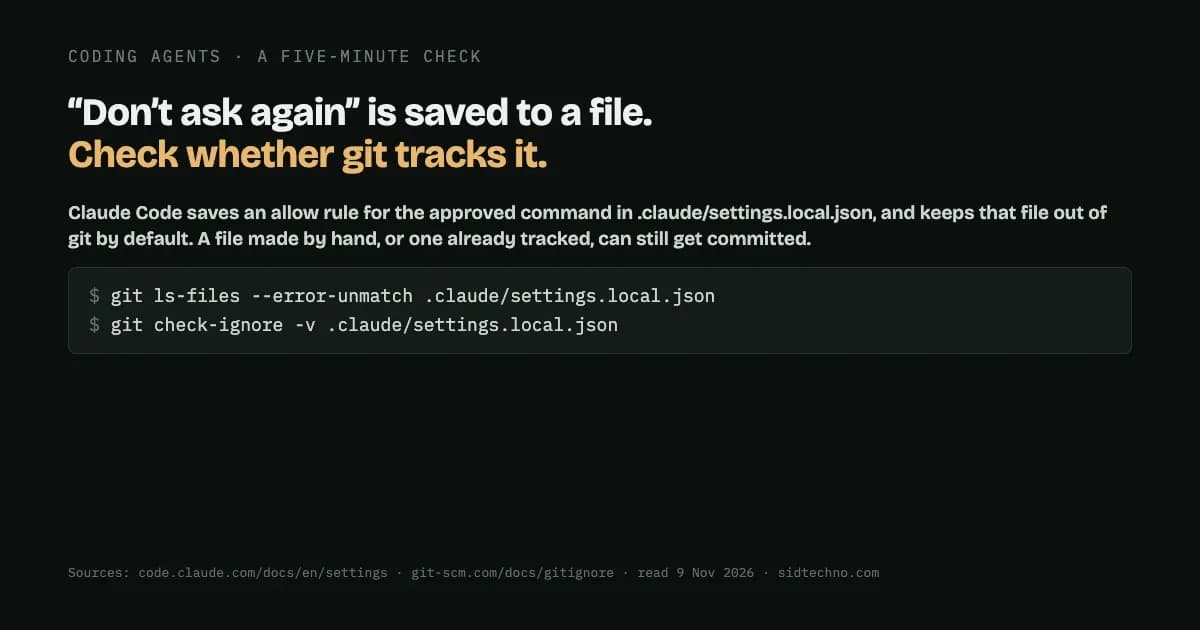
The file is meant to stay private, and Claude Code takes a step to keep it that way. Per the documentation: "The first time Claude Code writes the file in a git repository that doesn't already ignore it, it adds **/.claude/settings.local.json to your global git excludes file, so the file stays out of your commits in every repository." It also says: "If you created the file by hand and Claude Code hasn't written to it yet, add it to .gitignore yourself."
That protection is real, but it depends on git's ignore rules, and those have limits. Git's own documentation says of ignore files: "Files already tracked by Git are not affected". So the file can still end up in a repository if:
- It was created by hand and never added to .gitignore, as the documentation warns.
- It was already tracked before the exclude was added. An ignore rule won't remove it from a repository that already contains it.
- It was added on purpose, for example with
git add -f, which adds ignored files. - It was copied into another project or a template along with the rest of a
.claudefolder.
How to check your own repositories
You can get a real answer for your own code in a few minutes, rather than relying on anyone's statistic.
- Find the files. List every
.claude/settings.local.jsonunder the folders where you keep code. - Read the allow rules. Look at
permissions.allowin each file and search the rule text for credential shapes:password=,token=,api_key=,curl -u user:pass, a URL withuser:pass@in it, and key formats your providers use. - Check whether git tracks each file. In each repository,
git ls-files --error-unmatch .claude/settings.local.jsontells you whether it's tracked, andgit check-ignore -v .claude/settings.local.jsontells you whether, and why, it's ignored. - If a tracked file holds a secret, stop tracking it with
git rm --cached, add it to .gitignore, and rotate the secret. Removing it from the latest commit doesn't remove it from history, so treat the secret as exposed if the repository was ever shared.
Test your search before you trust it. Before scanning, create a throwaway file containing a fake credential in each shape you're searching for, and make sure your search finds it. A search that has never matched anything hasn't been shown to work. A zero only means something once you've seen the same search return a hit.
Two more habits help. When you report what you find, write down the file, the rule and the type of credential, never the value itself. And remember that pattern searches have limits: a secret with no recognisable shape, like a bare string of characters inside a command, can slip past them.
The habit that avoids most of this
The simplest fix is upstream: don't approve commands with secrets typed into them. If a command needs a credential, have it read the value from an environment variable or a credentials file, so the approved rule contains the variable's name and not its value. Then "don't ask again" remembers what you allowed without remembering the secret.
Sources: Claude Code documentation, "Settings" and "Permissions", read 9 November 2026; Git documentation, gitignore, read 9 November 2026. Apiiro's report on public settings files was not readable to us and is mentioned only as the reason this is in the news.